Context
Eco Centre SW is a Somerset-based Charitable Comminity Benefit Society.
They are currently working on 'E-SAVE' - a web application focussed on helping people to both save money and cut their carbon emissions by guiding them towards environmentally friendly money saving practices.
I ran UXR Surveys on behalf of E-Save and used the results to present potential feature changes.
Below, you can read the presentation for suggested changes to the "Help Me Save" feature.
Details
Volunteer work
Improving design for prototype web-app
Figma
Figjam
Adobe Acrobat
Impact
The suggested feature change was received well, but is yet to be completed, as Eco Centre SW are still looking for skilled backend and frontend code volunteers to help with E-SAVE.
If you think this is a role that you could fill, please visit their Reach Volunteering page, or message them via LinkedIn or their website.
Info Gathering: User Survey
I conducted an in-person observation session with 6 users individually.
Users were asked to perform a series of short tasks within the web-app and explain what they were doing and feeling out loud to me.
Users were then given a short, paper survey to fill out about the tasks they performed.
-
"I don't know my energy efficiency, so I'm just gonna make it up"
-
"This feels like it's for people who already know what they need to do to be eco friendly, but I'm a complete beginner"
-
"Where is it getting that value from? That's a lot of money. I definitely don't spend that much on clothes in a year"
-
"Lack of context made the information provided seem less reputable, as it seemed rushed"
Problems to Solve
- Users feel like they need more context around how our savings (both carbon and monetary) are calculated.
- Users don't know household energy related values off the top of their heads and require some guidance in making a calculation.
- Some users will guess or make up values if they are unsure, others will ignore them entirely.
Overview
- We must create ways for users to accurately calculate and understand their current energy usage so they can more clearly see the difference they are making.
- We must signpost and integrate these guides and calculators at appropriate points within the app so that users can easily find them.
Guiding the User
How can we expand on our existing 'Help With Savings' Page?
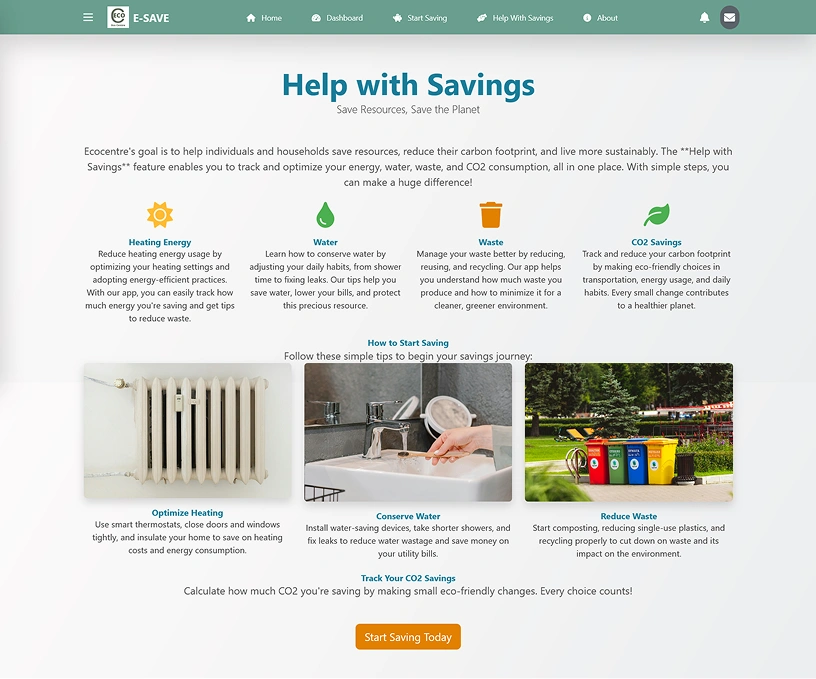
Copy
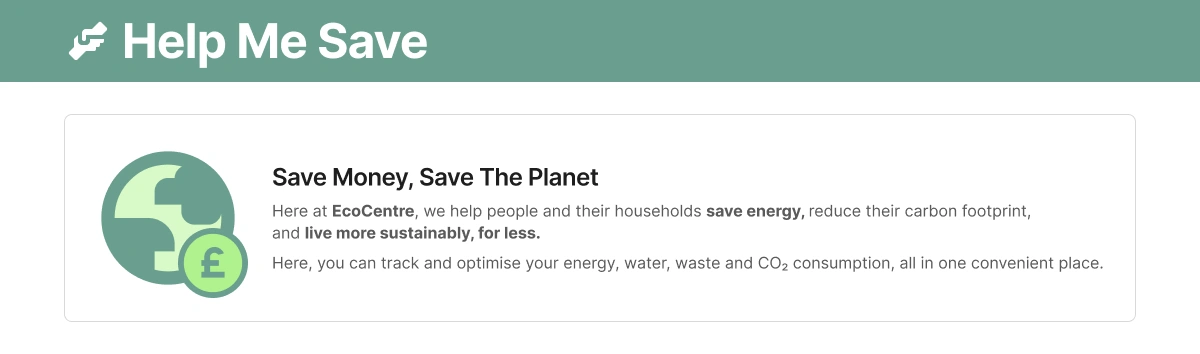
Simplify the copy a bit. What we have here works great as a mission statement for the organisation.
We want to tell the user exactly what this page is for and what they can do here.
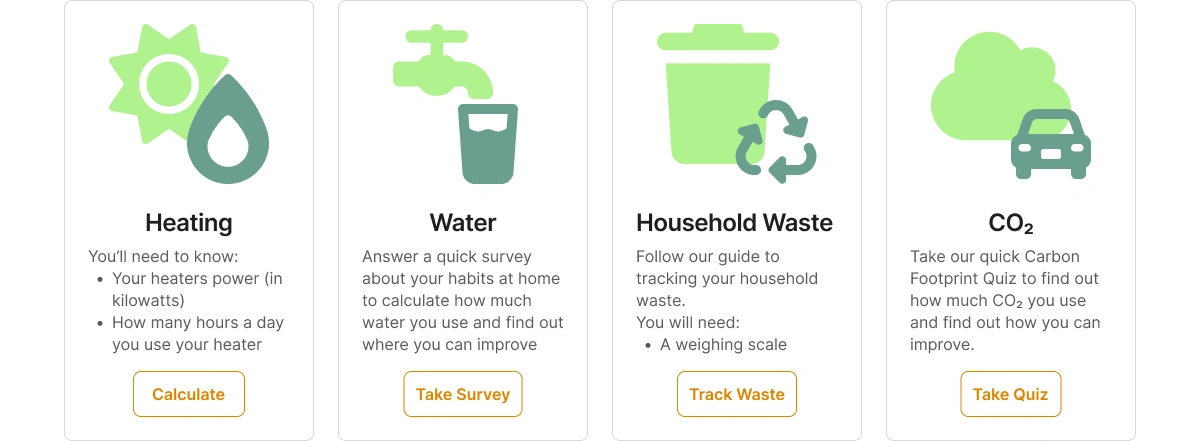
Cards
These are good and concise, but very similar to the "how to start saving" section below it.
Here would be a good place to tell the user what info they need to track this energy and
provide a link to a good internal (or external) calculator/guide for that energy type.
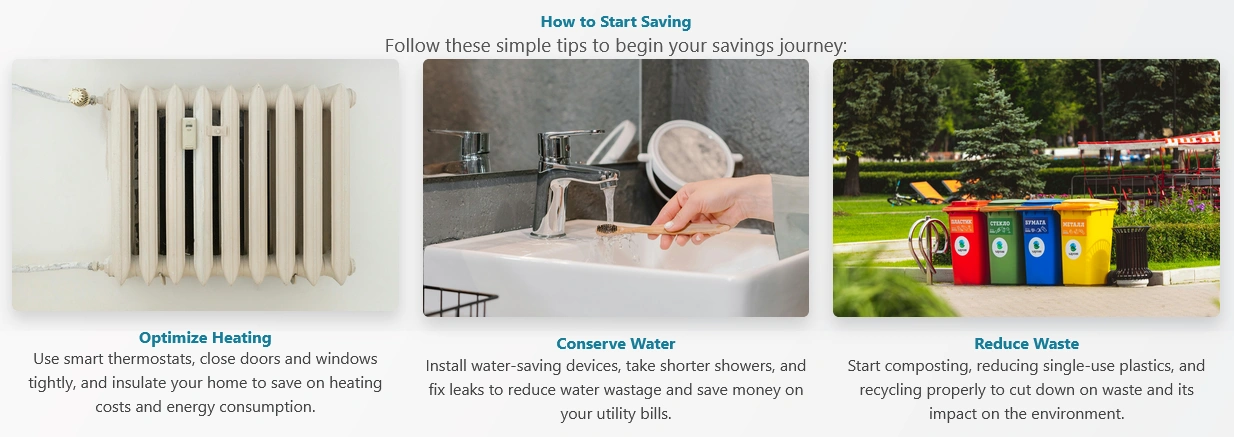
"How to Start Saving"
Very similar to above.
I noticed that users had a lot of questions when they were trying out the app.
It may be useful to convert this area into more of an FAQ section, since we don't already have one.
Keep It Simple
New users will have a lot of questions, especially if they are a bit new to being eco friendly in general.
Simple language and easy-to-find guides will really allow this page to shine.
Copy
A Suggested Simplification
Title Change
A more direct Call To Action. Phrased how a user might request this aloud. Shorter.
Invites Extension:
- "Help Me Save" ... The Planet
- "Help Me Save" ... Some Money
Resources Money
"Resources" may be better understood by those who are more on board with eco-friendliness.
However, the app does encourage money-saving, which is a good angle for bringing in those who feel that being eco-friendly is out of their budget.
Additionally, people are more likely to look up money-saving terms on search engines.
"Live more sustainably, for less"
- "More for less" - common phrase - should help your concept stick in people's heads.
- "Save...Save..." - repetition, see above.
Explainer
"Here, you can track and optimise ... " - Tells the user what this page is for upfront.
Cards
Conversion to Calculation
New Illustrations
Following the style from the previous "Saving Cards" presentation.
Directions
During research, users were surprised by the household energy rating question, as they didn't have it memorised.
Telling the user what they require upfront will prepare them for whatever's next.
Calculators, Surveys, Quizzes
These could be done internally, or we could send the user to an external calculation resource or guide and have them type in the values they get.
Internal Calculators
Pros
- User never leaves the site
- Customisable questions
- Can use data from survey questions from elsewhere within the app
Cons
- Costly for development time
- Would take a while to test and implement correctly
External Calculators
Pros
- Much less development time
- Established and reliable methods of measurement
Cons
- User has to leave the site
- We lose out on some helpful data
Calculators and Questionnaires
External Examples
-

Heating
Sust-It
Site with a number of different calculators for a variety of heating types - electric, storage, immersion and more
Visit
-

Water
Framed as a calculator, but is actually (mostly,) a simple, multiple choice quiz.
Visit
-

Household Waste
Bristol Waste Company - Waste Nothing Challenge
It was difficult to find a good guide for measuring household waste. This one from Bristol Waste is simple and nicely illustrated, but requires hanging scale equipment.
Visit
-

CO₂
Another simple quiz format. Also includes fun facts about carbon usage.
Visit
FAQ
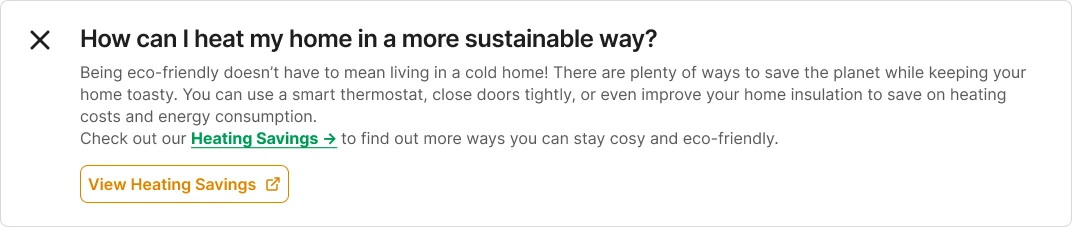
Direct Help - affected by the end-user
Closed Question

Plus Icon
Implies expansion on click.
Progressive Disclosure
To not overwhelm the user with information, we hide the answer until the question is clicked.
Open Question
Open and Close
User can close question manually by re-clicking it, or question will close automatically when another question is opened.
Lead the User
Including relevant links (e.g. View Heating Savings) is a good way to lead the user to parts of the webapp that they may not have discovered themselves yet.
Help the User, Help SEO
By incorporating good keywords into the FAQ answers, and answering questions that are typically searched for, EcoSave’s SEO ranking may improve
Internal Links
Take the user where they need to go
Ending each major section of the page with relevant copy and a link to another area of the app may improve the amount of time users spend on the site.
Desktop Example Page
Mobile Example Page